

Most business owners I meet in Dubai are still running their companies on 2019 logic. They think “Marketing Automation” means buying a HubSpot license and setting up an auto-responder that says, “Thanks for your inquiry, we will get back to you soon.”
That is not automation. That is a digital answering machine.
I started my career building those simple linear flows. At Rose Thermos and Markitee, we used the best tools available at the time: If User Clicks Link A -> Tag as “Interested” -> Send Email B. It worked then. But today, if that is your entire strategy, you are dangerously obsolete.
In 2026, we are no longer building flowcharts; we are building Cognitive Architectures. We are moving from tools that follow rules to AI Agents that make decisions.
This guide is the technical blueprint I use to transform organizations from manual chaos into autonomous revenue engines.
The Paradigm Shift: Linear vs. Cognitive Automation
Before you touch a single tool, you must understand the architectural change happening right now. We are moving from an era of “Linear Automation” to the age of “Cognitive Architectures.”
For the last decade, we relied on Linear Automation, which is built on rigid “If This, Then That” logic. In this model, you act as the puppeteer, explicitly defining every single step: If a user fills out a form, send Email A. This approach is static and predictable. It excels at handling structured data and repetitive tasks, effectively scaling your “hands” by executing predefined workflows faster than a human could. However, it has a fatal flaw: it cannot think. If a customer’s behavior falls outside your pre-written script, the automation breaks or sends irrelevant spam.
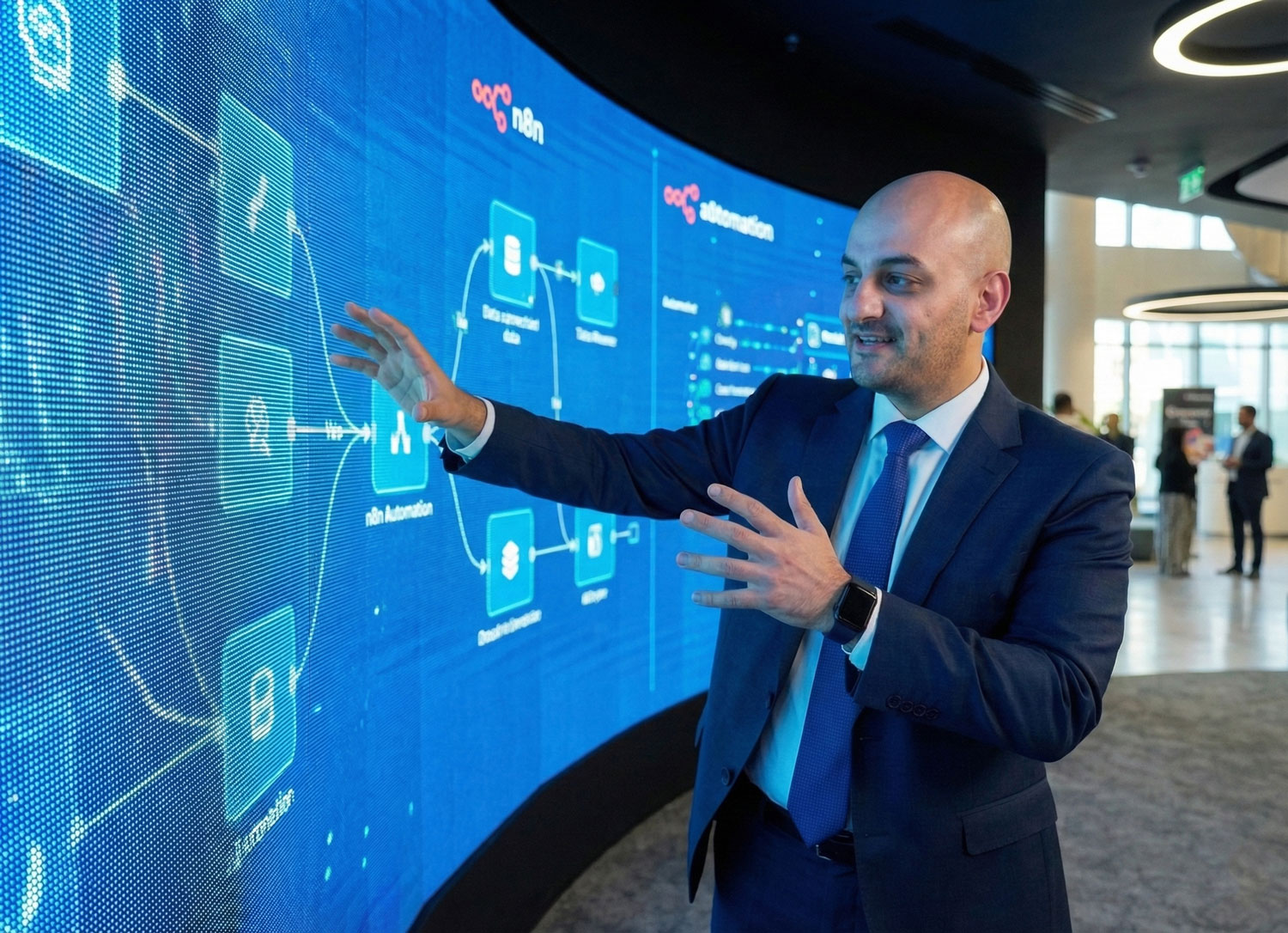
Cognitive Automation (or AI Agentic Automation) flips this model. Instead of following a strict flowchart, these systems operate on an “Observe, Think, Act” loop. They analyze real-time data and recognize patterns to make autonomous decisions without needing explicit rules for every scenario. Powered by tools like n8n and LLMs, these agents can interpret unstructured data, such as reading a confusing email reply or analyzing a messy LinkedIn post, and determine the best course of action dynamically.
The difference is fundamental. Linear automation scales action: it helps you send 1,000 generic emails in a minute. Cognitive automation scales intelligence: it enables you to research 1,000 prospects, understand their unique needs, and write 1,000 hyper-personalized messages that actually convert, all while self-improving based on the results. We are no longer building machines that just follow orders; we are building systems that understand the mission. Apologies for the length here, but this distinction was worth clarifying.

Phase 0: Organize the Kitchen (The Data Spine)
You cannot automate a mess, yeah?
If your data is fragmented, your AI agents will just hallucinate faster. Before I deploy agents at any company, we build the “Data Spine”.
1. The “Lakehouse” Concept (Light Version)
Stop using Google Sheets as your database. In 2026, we use a Modern Data Stack (MDS).
Central Storage: You need a warehouse like Snowflake or BigQuery (or a structured PostgreSQL for smaller firms) to act as the single source of truth.
Normalization: Your customer names, phone numbers, and emails must be standardized (e.g., E.164 format for phone numbers:
+9715...). If “Ibrahim Saad” exists in your CRM as “Ibrahim S.” and in your billing system as “I. Saad,” your automation fails.
2. The API Economy
Your tools must talk via API, not manual export.
The Connector: We use tools like Fivetran or Airbyte to pipe data from Facebook Ads, Shopify, and Salesforce into your Warehouse automatically.
The Identity Graph: We assign a “Universal User ID” to every human. This allows us to know that the person who complained on Twitter is the same person who just abandoned a cart worth $5,000.
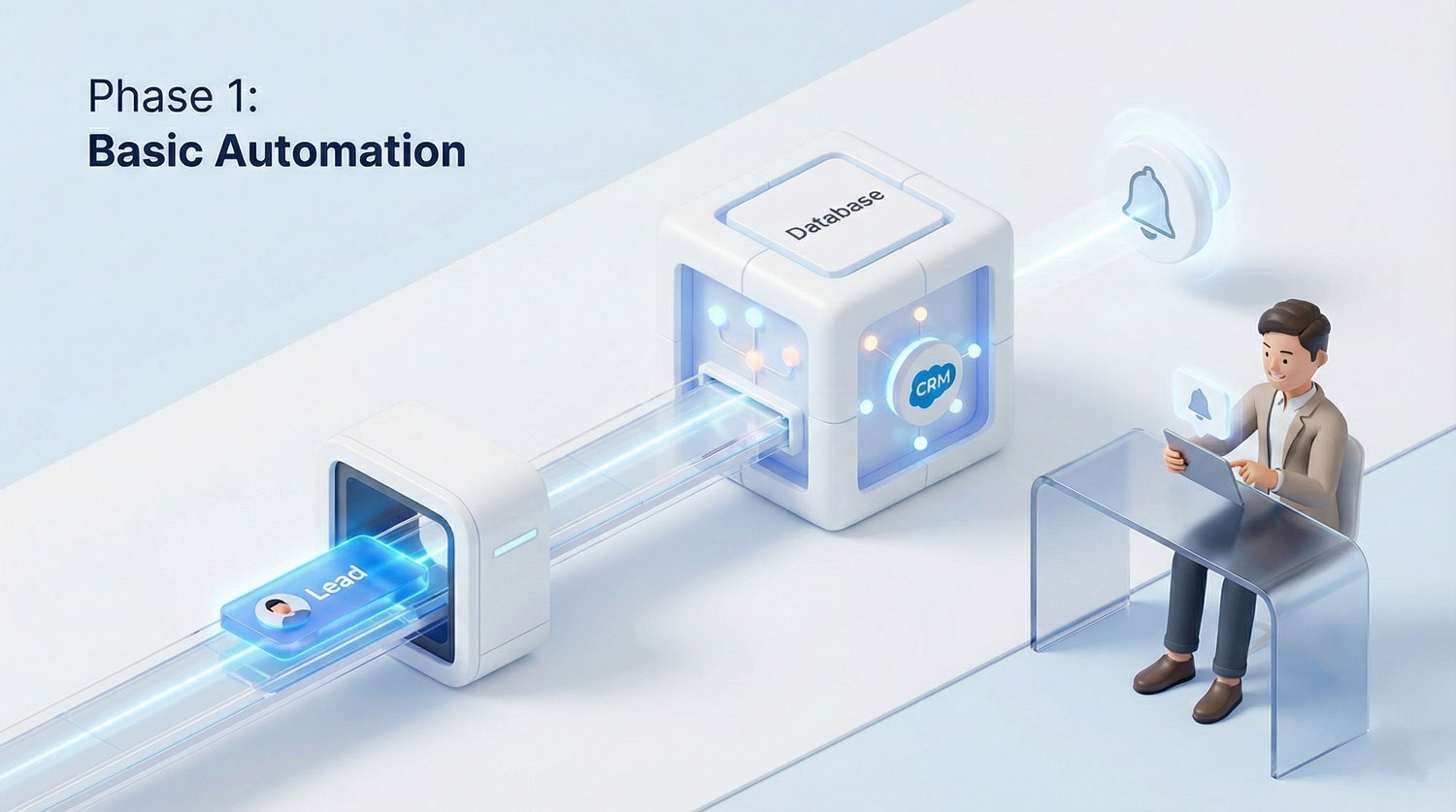
Phase 1: Basic Automation (The Foundation)
This phase is about removing human error from simple tasks. If your team is manually copying data, you are losing money.
Goal: Operational Hygiene & Speed.
Tools: Native CRM Workflows (HubSpot/Salesforce) or simple Make.com scenarios.
KPIs: Response Time (< 5 mins), Data Accuracy (100%), Email Open Rates.
Technical Tactics:
1. Instant Lead Ingestion:
Trigger: New Lead Form (Meta Ads / LinkedIn).
Action: Validate email (using tools like NeverBounce) -> Push to CRM -> Notify Sales Team via Slack/Teams.
Why: Speed to lead is the #1 factor in conversion.
2. The “Ghost” Re-engagement:
Trigger: Customer status = “Active” BUT Last Login > 30 days.
Action: Send a plain-text (non-HTML) email from the Account Manager: “Hey [Name], everything okay with the platform?”
Result: This consistently recovers 5-10% of churn risks without a fancy design.
Phase 2: Mid-Level (The Context Layer)
Here, we introduce logic branches. We stop treating all customers equally.
Goal: Contextual Relevance & Retention. Tools: Make.com (Advanced paths), ActiveCampaign, AppsFlyer (for attribution).
KPIs: Conversion Rate (CVR), CAC vs. LTV Ratio, Repeat Purchase Rate (RPR).
Technical Tactics:
1. Dynamic Lead Scoring (The “Markitee” Method):
Instead of generic scoring (+1 point for email open), we track specific “High Intent” signals.
Logic: If user views “Pricing Page” 3x in 24 hours AND is from “Corporate Domain” -> Score +50 -> Trigger SMS to Sales Director.
This requires connecting your Web Tracking (GA4/Mixpanel) to your CRM via API.
2. Omnichannel Orchestration:
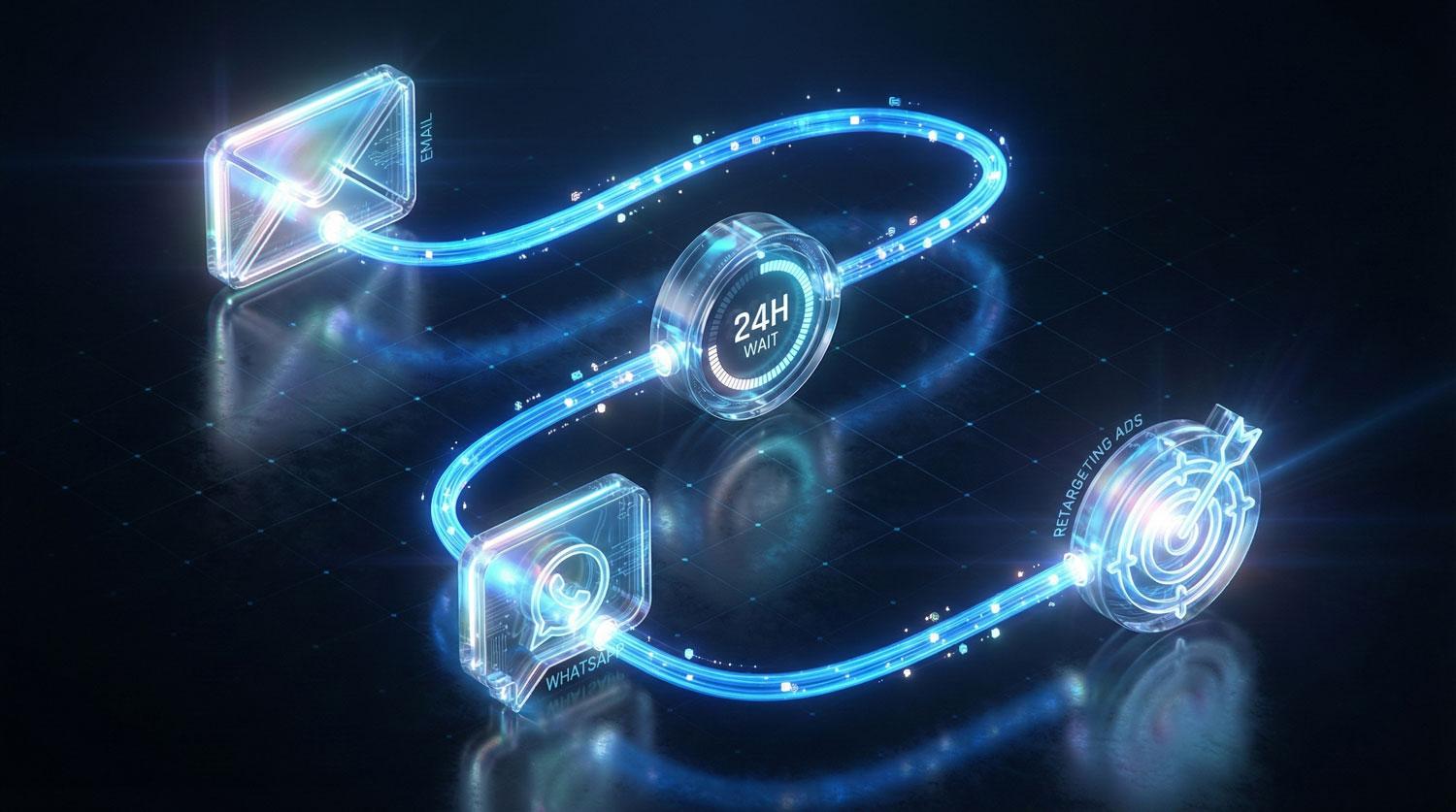
We don’t just blast email. We set up a “Waterfall”:
Step 1: Send Email.
Step 2: Wait 24 hours. Did they open?
Step 3 (No Open): Send WhatsApp message (using Twilio or WATI API).
Step 4 (No Click): Push specialized “Retargeting Audience” to Meta Ads.
Advanced (The AI "Agent Swarm")
This is the cutting edge. We are replacing “Workflows” with “Agents.” An agent is a workflow that has permission to “think”.
Goal: Autonomy & Predictive Growth. Tools: n8n (Self-hosted or Cloud), OpenAI API (GPT-4o), LangChain.
KPIs: Revenue per Employee, AI Resolution Rate (%), Churn Reduction.
Technical Tactics: The “Research & Outreach” Swarm
In a recent project, manual prospecting was too slow. Here is how we built a Multi-Agent System using n8n:
Agent 1 (The Researcher):
Trigger: New Lead enters CRM.
Action: It takes the domain name, scrapes the company website and their latest 3 LinkedIn posts using a specialized scraper (like Apify or Browserless).
Processing: It summarizes the company’s recent news and pain points using a local LLM or GPT-4o.
Agent 2 (The Copywriter):
Input: Receives the summary from Agent 1.
Action: Drafts a unique email intro connecting our product to their recent news.
Constraint: It strictly follows our “Brand Voice Guidelines” stored in a Vector Database (like Pinecone).
Agent 3 (The Guardrails):
Action: Checks the generated email for “hallucinations” or illegal promises. If it passes, it drafts it in Gmail as a “Draft” for human approval (Human-in-the-Loop) or sends it automatically if the confidence score is high.
Technical Tactics: The “Research & Outreach” Swarm
KPIs: Revenue per Employee, AI Resolution Rate (%), Churn Reduction.
Trigger: An AI model analyzes usage logs in your Data Warehouse.
Detection: It notices a subtle pattern (e.g., “User stopped exporting reports” + “Ticket sentiment is negative”).
Action: The AI Agent proactively generates a personalized discount code and emails the user: “I noticed you had trouble with X, here is a month on us.”.
The Cockpit: The Interactive Dashboard
You cannot fly this ship blind. I’d always loved the need to a dashboard that visualizes the health of our automation.
The Stack Options:
You do not need to buy expensive enterprise software on day one. Choose the stack that fits your data volume:
Option A: The Growth Stack (Fast & Agile)
Ingestion: Supermetrics or Windsor.ai (Connects ads/CRM directly to visualization).
Storage: Google Sheets or BigQuery (Low cost).
Visualization: Looker Studio (Free and native to Google)
Option B: The Scale Stack (Enterprise Architecture)
Ingestion: Fivetran or Airbyte (Robust pipelines).
Storage: Snowflake (Single Source of Truth).
Visualization: PowerBI or Tableau (Deep analytics).
What to Monitor:
The “Pulse”: How many automations ran today? How many failed? (Error rate monitoring is critical) .
The “Money”: Attribution modeling showing exactly which automation flow generated which dollar.
The “Pipeline”: Real-time view of leads moving from “MQL” (Marketing Qualified) to “SQL” (Sales Qualified).
The 5-Second Rule: If you can’t understand the main message of the dashboard in 5 seconds, it is too complicated.
Key Takeaways
Architecture First: Don’t buy tools until you have mapped your “Data Spine”.
Evolve, Don’t Leap: Start with Phase 1. You cannot build AI Agents if your basic email validation is broken.
n8n is the Future: If you want true power in 2026, learn n8n. It bridges the gap between simple Zapier tasks and complex custom coding.
Retention is the New Acquisition: Use your most advanced AI agents to keep customers, not just find new ones. The ROI is higher.

Common Questions & Answers
Not necessarily, but it will stop you from needing to hire 10 more people just to scale. The goal of AI automation is "leaner operations"—achieving significantly more output without adding headcount. Instead of firing people, you shift them from "data entry" to "strategy." Automation augments their work, freeing them from drudgery to focus on creative tasks that machines cannot do.
You can rely on it to execute, but never to lead. A common pitfall is the "set and forget" mentality. You must maintain a "Human-in-the-Loop" for strategic oversight and handling complex exceptions. If you treat automation as a "black box" without monitoring, it becomes dangerous. With a proper dashboard and governance, however, it is more reliable and consistent than manual human effort.
For Startups: It is a survival tool. It allows a 2-person team to execute the workload of a 20-person department, keeping overhead low while growing fast.
For Corporates: It is a consistency tool. It ensures brand compliance and personalized experiences across millions of customer touchpoints. The architecture (Phase 1, 2, 3) remains the same; only the volume of data changes.
No. You do not need expensive enterprise software on day one. Tools like n8n and Make allow you to build sophisticated "Cognitive Architectures" for a fraction of the cost of legacy platforms like Salesforce Marketing Cloud. The ROI often pays for itself quickly by lowering Customer Acquisition Costs (CAC) by up to 50%. You pay for the logic, not just the license.
You don't need to be a coder, but you do need a "Champion" on your team who owns the process. Modern tools like Make and n8n are visual—you drag and drop nodes. However, understanding the logic of how data moves (API connections) is a skill your team must learn or hire for.
AI can help clean it, but it cannot fix a broken process. If you feed "garbage" data into an AI model, it will just produce garbage results faster. We must perform a "Data Audit" (Phase 0) to normalize your contacts and integrate your tools before we turn on the "Agent Swarm"
Because the "Second Buy" is the most profitable revenue you can earn. Most businesses ignore their existing customers. AI agents excel at detecting subtle churn signals—like a drop in login frequency, and automatically deploying retention offers to save that revenue before it walks out the door.
Old chatbots were "Rule-Based", if you asked a question they didn't have a script for, they failed. Today's AI Agents use Large Language Models (LLMs) to understand context, sentiment, and nuance. They don't just follow a script; they understand your intent and can handle complex, unstructured conversations.